EyesOnIt Web Dashboard
The EyesOnIt Web UI provides guided workflows for monitoring live video, searching indexed footage, processing still images, and maintaining face recognition enrollment data.
You can open the UI in a browser at:
http://localhost:8000/dashboardwhen the browser is running on the same computer as EyesOnIthttp://<eyesonit-ip>:8000/dashboardwhen EyesOnIt is running on another computer
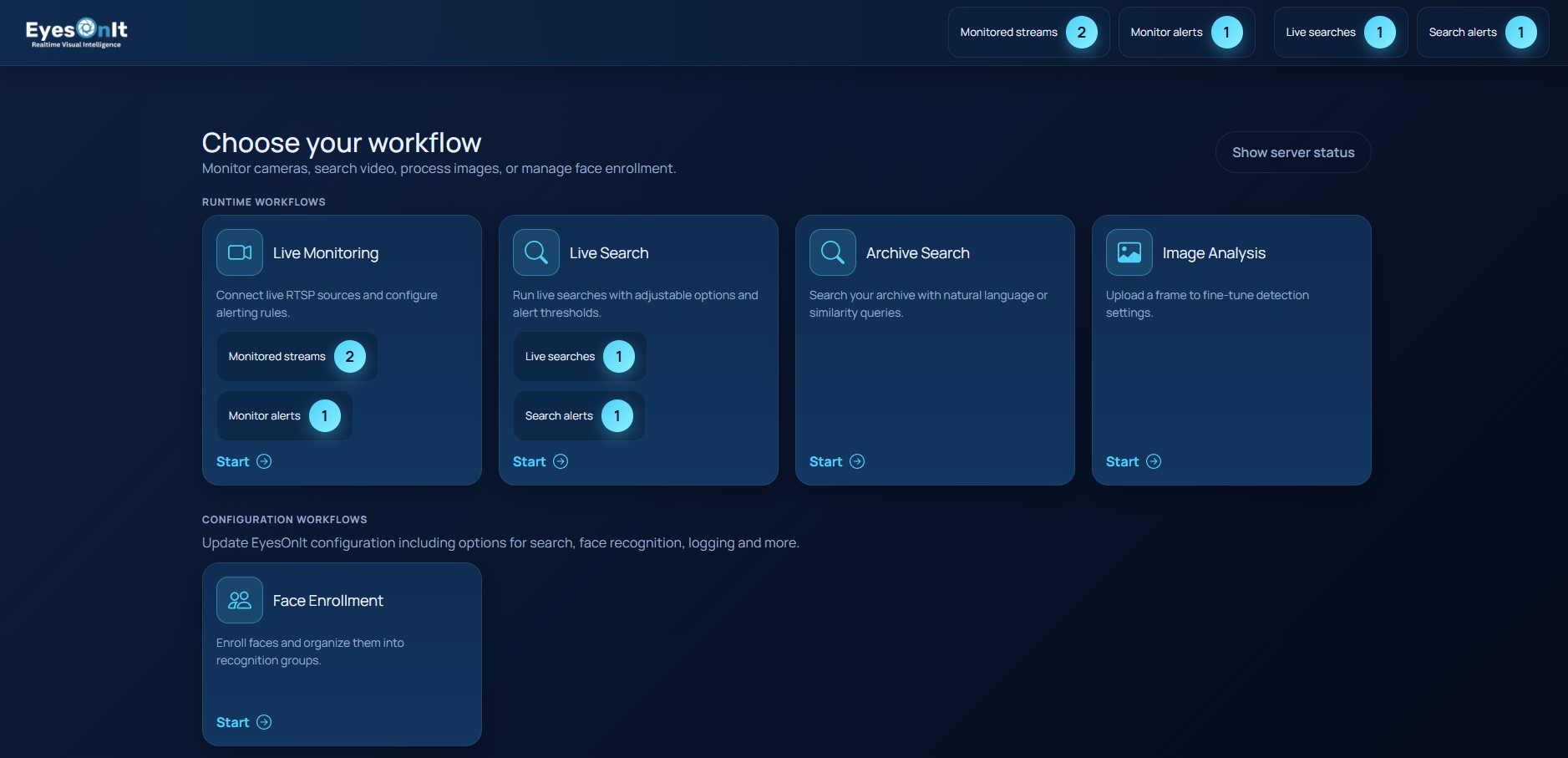
The dashboard is the starting point for all workflows. It exposes these main tasks:
- Dashboard: review workflow cards, server status, license status, and alert summaries.
- Video Monitoring: connect RTSP streams, define regions and lines, tune detection, and receive alerts.
- Archive Search: search indexed footage by natural language, face recognition, or image similarity.
- Live Search: run real-time searches across all cameras with alert thresholds and optional durations.
- Image Processing: upload an image, define a region of interest, and inspect detections immediately.
- Face Recognition: manage groups, enroll people, and remove enrollment data.
The screenshot below shows the main dashboard with the workflow cards and the top summary pills.
Typical workflow
For live camera use, the usual sequence is:
- Open Video Monitoring.
- Add a stream and confirm the preview frame.
- Adjust the region of interest, motion detection, detection settings, and alert rules.
- Start monitoring and review detections in the recent alerts panel.
For investigation work, start in Archive Search or Live Search depending on whether you are working against recorded footage or active detections.
For still images and enrollment maintenance, use Image Processing and Face Recognition.